Quick take
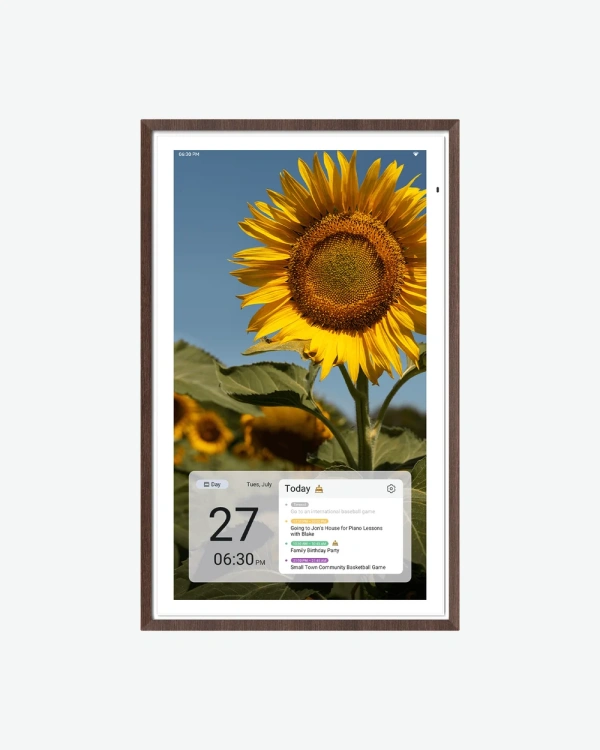
This is the 27" calendar with a sharper panel underneath it, same size, same software, just a 4K display instead of 1080p. The difference shows up most when it's displaying a photo rather than a calendar grid, text and icons look fine on either version.
What it actually does
The two-mode setup is identical to the rest of the lineup. Focus mode keeps the calendar, routines, meals and reminders front and center, Custom mode turns the screen into an Android-style dashboard built from widgets you choose. At this size, a full week view and the day's chores fit comfortably side by side.
Chores still convert to points here, which matters more the bigger the household gets, each person can see their own list clearly instead of scrolling past everyone else's. Meal planning, a shared grocery list, and Stickies for quick reminders all work the same way too.
Where the 4K panel actually earns its price is photo display. Switch it to photo frame mode (through Google Photos, no subscription needed) and a sharper screen means less softness on detailed shots, something the standard 1080p panel can't quite match at this size.
It responds to "Hey Google" for voice control and connects to Google Home, so a doorbell feed or smart light status can show up without leaving the calendar screen. Google's Gemini AI chat is also built in for quick questions.
The anti-glare matte finish is worth calling out specifically here, Apolosign leads with it in the product listing for this model, which suggests the 4K panel can be a little more reflective without it. If this is going somewhere with bright, direct light, that finish is doing real work.