Apolosign 21.5" Digital Calendar

More screen, more room for a busy household to stay in sync.

$379.00 $449.00 Save 16%
  • Same calendar sync (Google, Apple, Outlook, Yahoo) as the rest of the lineup, nothing is locked behind the bigger size
  • Noticeably easier to read from a few feet away than the 15.6", useful if the screen sits somewhere people just glance at while walking past
  • More room for the chore and to-do lists to display without feeling cramped
Apolosign 21.5" Digital Calendar

Quick take

The 21.5" sits right in the middle of Apolosign's calendar lineup, and it's the size most people land on once they've decided a family calendar is worth having. It has the exact same features as the 15.6", just on a screen big enough to read from across the kitchen without walking up to it.

What it actually does

Like the rest of the lineup, this one runs in two modes. Focus mode shows the calendar, routines, meals and reminders in one glance. Custom mode turns it into an Android-style dashboard you build yourself, with widgets for weather, the doorbell, stocks, or whatever you check daily. On the extra screen space, both modes feel noticeably less cramped, you can fit a full week's view and the day's to-do list side by side without squinting.

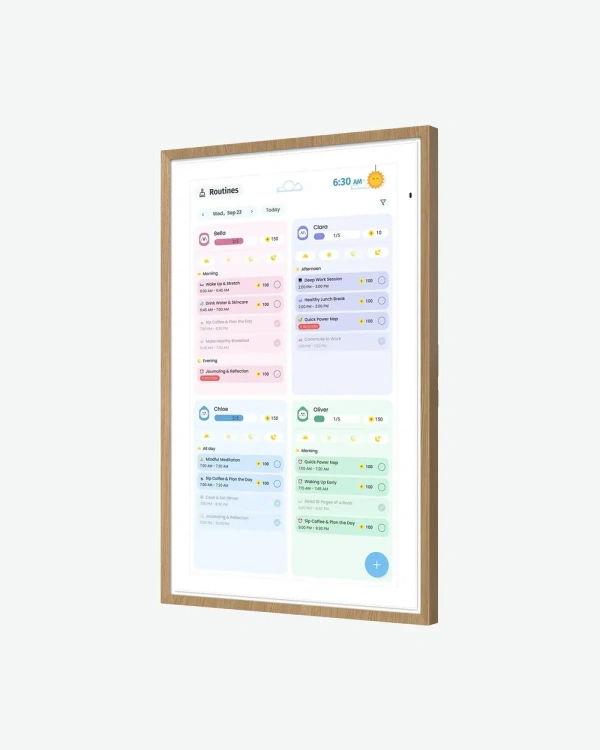
The chore system still works the same way, chores become points instead of just checked-off lines. With a bigger screen, more of the list is visible at once, so a family of four or five can see their own tasks without scrolling through the others first.

Meal planning, a shared grocery list, and Stickies (quick notes with a photo or emoji attached) all carry over too. The extra width helps here, a grocery list that was cut off on the smaller screen fits with room to spare on the 21.5".

Outside of calendar duties, it works as a no-subscription photo frame through Google Photos, and responds to "Hey Google" for hands-free control. It connects to Google Home as well, so the same screen can show a doorbell camera or control a smart light.

The one-swipe privacy cover and anti-glare matte glass are both here too, worth knowing about if this is going somewhere visible to guests, or a spot that catches direct sunlight during the day.
Pros and cons

What works

  • Same calendar sync (Google, Apple, Outlook, Yahoo) as the rest of the lineup, nothing is locked behind the bigger size
  • Noticeably easier to read from a few feet away than the 15.6", useful if the screen sits somewhere people just glance at while walking past
  • More room for the chore and to-do lists to display without feeling cramped
  • Still works as a subscription-free photo frame when the calendar isn't the focus

What to know before buying

  • Costs about $100 more than the 15.6" for the same feature set, you're mainly paying for the larger screen, not new functionality
  • Still not the largest option, if the calendar needs to be read from across a room, the 27" is the better fit

How it compares to the rest of the lineup

The 15.6", 21.5", 27" and 27" 4K all run the exact same software, the difference is purely screen size. If you've already tested the idea with a 15.6" and found it works for your routine, the 21.5" is the natural next step up, mainly worth it once more than two or three people are reading it regularly. The 27" and 27" 4K make more sense for an open kitchen or hallway where the screen needs to be legible from a distance.

Who it's for

Good fit for a household of three to five where more than one person checks the calendar daily, or if the 15.6" felt a little tight for your family's routine.

Skip it if budget is the main concern and your household is small, the 15.6" covers the same features for less. Also skip it if you specifically need a screen readable from across a large room, that's where the 27" earns its price.

Specifications

Screen size21.5 inch
Display typeLCD, 10-point touch
Resolution1920 x 1080 (1080p)
Aspect ratio16:9

Common questions

Does it need a subscription?

No. The calendar, chore system, and photo frame mode all work without a monthly fee.

Is this just a bigger 15.6", or does it do more?

It is the same software and feature set as the 15.6", just on a larger screen. Nothing is exclusive to this size.

Can I manage it from my phone?

Yes, the calendar syncs with your existing apps, so changes made on your phone show up on the screen.

Does it get software updates?

Apolosign lists ongoing OS updates as part of owning the device, so it is not a one-and-done screen.

Does it come with a stand?

This isn't confirmed on the product listing for this size, so check the box contents before you buy if a desktop stand matters to you.

Still deciding between sizes?

If the 15.6" already covers what you need, you'll save around $100 without losing any features. If you want something readable from across the room, the 27" or 27" 4K is worth a look instead.